Skip to the content
Download
Changelogs
Tomb Engine Changelog
Tomb Editor Suite Changelog
Documentation
Game Settings
Level Parameters
Node List
Node Editor Reference Guide
Lua Documentation
Asset Browser
Tutorials
Report a Problem
Download
Changelogs
Tomb Engine Changelog
Tomb Editor Suite Changelog
Documentation
Game Settings
Level Parameters
Node List
Node Editor Reference Guide
Lua Documentation
Asset Browser
Tutorials
Report a Problem
Download Asset
Last updated: 16 February 2026
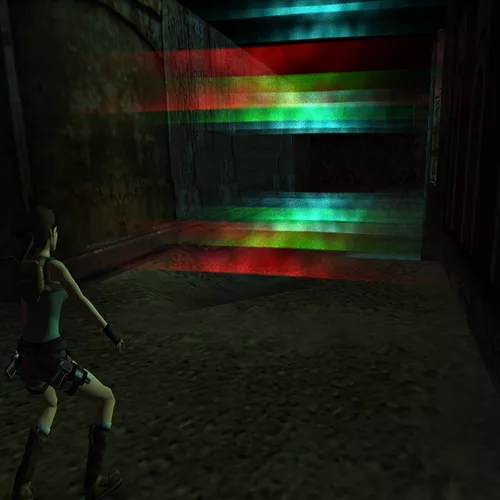
Laser Barrier
(TEN.Objects.ObjID.LASER_BARRIER)
Setup Instructions
The colour of the laser is chosen in Tomb Editor by changing the object tint.
The room height decides laser height.
OCB value indicates how wide the laser will be. Ie: OCB 7 will mean it will be 7 sectors across.
Negative OCB: triggers heavy trigger and can be crossed without causing damage to the player
Positive OCB: Fatal to the player if crossed.